Re: https://firmwaresecurity.com/2017/03/31/reversing-arm-firmware-using-radare-presentation-available/
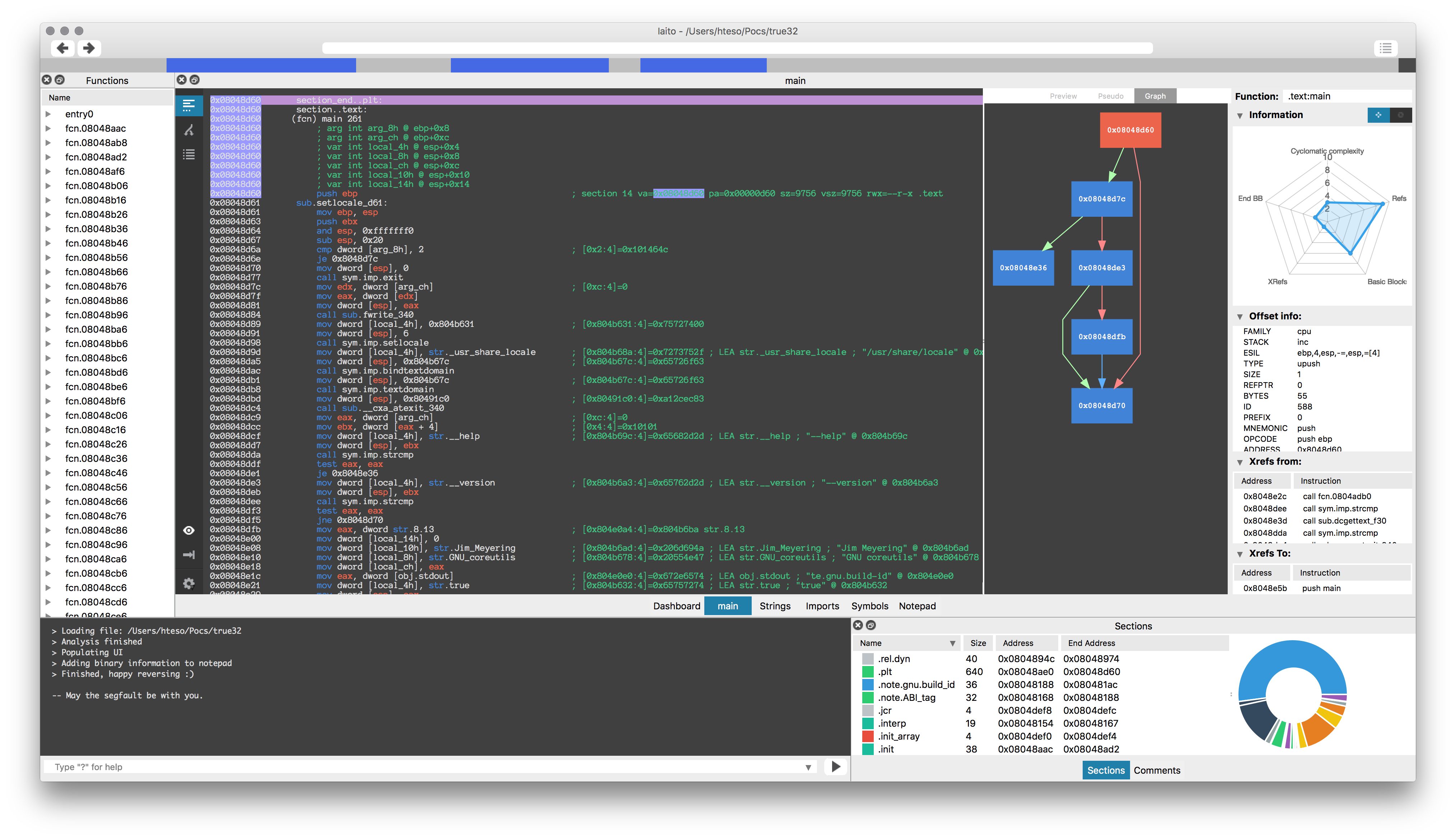
The samples for this presentation are also available. Previously, it was just the presentation PDF.
http://radare.org/get/r2snow.zip

Hastily-written news/info on the firmware security/development communities, sorry for the typos.
Re: https://firmwaresecurity.com/2017/03/31/reversing-arm-firmware-using-radare-presentation-available/
The samples for this presentation are also available. Previously, it was just the presentation PDF.
http://radare.org/get/r2snow.zip
Intel has updated their UEFI firmware for the Minnowboard, and has updated Intel Firmware Engine for Windows.
Arch Linux users might want to read this document.
An efficent method to achieve a properly encrypted, UEFI-booting, Arch Linux system. Multi-OS, and VirtualBox, UEFI booting are also supported. OBJECTIVE: Install Arch Linux with encrypted root and swap filesystems and boot from UEFI. Note: This method supports both dedicated Arch installs and those who wish to install Arch on a multi-OS-UEFI booting system. VirtualBox Installers Note: This installation method can also be used to install Arch Linux as an UEFI-booting Guest system in VirtualBox. You must have UEFI-booting enabled in VBox’s Guest System Settings prior to installation.[…]
https://github.com/HardenedArray/Encrypted-Arch-UEFI-Installation
“USB Canary: A Linux tool that uses pyudev to monitor devices while your computer is locked. In the case it detects someone plugging in or unplugging devices it can be configured to send you an SMS or alert you via Slack of the potential security breach.”
It looks like most vendors don’t have their boot menus updated to support the new ECC memory they now support…
[…]Once you have an ECC-enabled memory controller, a motherboard with the right traces, and a few sticks of ECC memory, the next step is whether the BIOS/UEFI properly supports ECC. This is where things start getting a little bit iffy. AMD placed all the responsibility for ECC support on the motherboard manufacturers, and they aren’t really willing to step up to the plate and assume that responsibility…you will find out why in the conclusion. As a result, while most motherboard manufacturers have now come to acknowledge that their motherboards are indeed ECC enabled, that is the extent of their involvement. Not one is offering an enable/disable option in the UEFI, and we haven’t seen anyone but ASRock and ASUS have any ECC settings available at the moment.
This lack of settings severely hampers the overall ECC functionality, since a big part of it is that the motherboard should be able to log errors. Right now, no such logging capability exists. Thankfully, there is a possible software solution. The operating system – if it fully supports this new AM4 platform – should have the ability to log errors and corrections. If it does not, the hardware might be silently correcting single-bit errors and even detecting ‘catastrophic’ two-bit errors, but you will never know about it since there will be no log. That’s what we are going to look into next.
To conclude this page, we strongly suspect that just about every AM4 motherboard likely has ECC enabled, or at the very least will in the future. Most motherboard manufacturers certainly aren’t actively supporting it, or even unlocking any of the features that accompany it, but they don’t appear to be maliciously disabling it either. At this point in time, they simply have other way more important things on their plate, like improving memory support, overclocking, ensuring that IOMMU is functional, etc. Furthermore, we strongly suspect that they are presently unable to unlock all of the necessary settings without a newer CPU microcode from AMD.
AMD has a blog post on the Ryzen, and it talks about AGESA updates!
[…]Let’s talk BIOS updates:
Finally, we wanted to share with you our most recent work on the AMD Generic Encapsulated Software Architecture for AMD Ryzen™ processors. We call it the AGESA™ for short. As a brief primer, the AGESA is responsible for initializing AMD x86-64 processors during boot time, acting as something of a “nucleus” for the BIOS updates you receive for your motherboard. Motherboard vendors take the baseline capabilities of our AGESA releases and build on that infrastructure to create the files you download and flash. We will soon be distributing AGESA point release 1.0.0.4 to our motherboard partners. We expect BIOSes based on this AGESA to start hitting the public in early April, though specific dates will depend on the schedules and QA practices of your motherboard vendor. BIOSes based on this new code will have four important improvements for you:
* We have reduced DRAM latency by approximately 6ns. This can result in higher performance for latency-sensitive applications.
* We resolved a condition where an unusual FMA3 code sequence could cause a system hang.
* We resolved the “overclock sleep bug” where an incorrect CPU frequency could be reported after resuming from S3 sleep.
* AMD Ryzen™ Master no longer requires the High-Precision Event Timer (HPET).
We will continue to update you on future AGESA releases when they’re complete, and we’re already working hard to bring you a May release that focuses on overclocked DDR4 memory.[…]
https://community.amd.com/community/gaming/blog/2017/03/30/amd-ryzen-community-update-2
Intel® NUC and Intel® Compute Stick DCI Disable
Intel ID: INTEL-SA-00073
Product family: Intel® NUC and Intel® Compute Stick based on 6th Gen Intel® Core™ processors
Impact of vulnerability: Information Disclosure
Severity rating: Moderate
Original release: Apr 03, 2017
Last revised: Apr 03, 2017
Intel® NUC and Intel® Compute Stick systems based on 6th Gen Intel® Core™ processors do not have DCI debug capability properly locked for BIOS only access. This would allow an attacker with physical possession of the system to potentially enable DCI from outside the BIOS. Intel® Direct Connect Interface (DCI) provides closed chassis access to perform debug for processing OEM and OEM customer returns. DCI is was designed to be enabled only via BIOS settings. Current settings in the referenced product family BIOS may allow an attacker with physical access to the system and an NDA (non-disclosure agreement) controlled software stack from Intel to enable DCI from outside the BIOS. If an attacker were able to gain physical access to a system and enable DCI, it is possible they may gain access to personal information. Intel views this risk as a Moderate (4.7) due to physical access, NDA software stack, and high privileges being required by an attacker.[…]
https://security-center.intel.com/advisory.aspx?intelid=INTEL-SA-00073&languageid=en-fr
bareBoot: A fork of Clover bootloader
For legacy BIOS computers only. No fancy graphics, no black automagic, no frills, no thrills, no bells & whistles. Bare “metal” aimed to get kernel running. The rest should be done by DSDT, kexts, …
If you are have an Apple system, here’s a guide to hardening macOS. Unlike most hardening guides, this one covers some aspects of firmware. I wish each OS vendor maintained a document like this.
https://github.com/drduh/macOS-Security-and-Privacy-Guide#firmware
Last week, AMD updated “AMD64 Architecture Programmer’s Manual Volume 2: System Programming”. The changelog does not give a lot of information, you have to visit all the Tables/Sections to see what was changed:
Modified CR4 Register, Section 3.1.3.
Removed UD2 in Table 6-1.
Added new bullet in Section 7.1.1.
Modified Note in Table 7-1.
Added new Section 7.4.1.
Clarified Self Modifying Code in Section 7.6.1.
Added UD0 and UD1 instructions in Section 8.2.7.
Added Instructions Retired Performance counter in Section 13.1.1.
Modified Table in Section 15.34.9.
http://developer.amd.com/resources/developer-guides-manuals/
Introducing Monitor.app for macOS
March 31, 2017 | by Stephen Davis | Threat Research
As a malware analyst or systems programmer, having a suite of solid dynamic analysis tools is vital to being quick and effective. These tools enable us to understand malware capabilities and undocumented components of the operating system. One obvious tool that comes to mind is Procmon from the legendary Sysinternals Suite from Microsoft. Those tools only work on Windows though and we love macOS. macOS has some fantastic dynamic instrumentation software included with the operating system and Xcode. In the past, we have used dynamic instrumentation tools such as Dtrace, a very powerful tracing subsystem built into the core of macOS. While it is very powerful and efficient, it commonly required us to write D scripts to get the interesting bits. We wanted something simpler. Today, the Innovation and Custom Engineering (ICE) Applied Research team presents the public release of Monitor.app for macOS, a simple GUI application for monitoring common system events on a macOS host.[…]
https://www.fireeye.com/blog/threat-research/2017/03/introducing_monitor.html
https://github.com/hardenedlinux/firmware-anatomy/blob/master/hack_ME/firmware_security.md
https://github.com/hardenedlinux/firmware-anatomy
Note to self: finish awesome-firmware markdown document and publish it!
Senior Software Development Engineer – BIOS Firmware
The AWS Hardware Engineering team creates server designs for Amazon’s innovative web services. Our designs are industry-leading in frugality and operational excellence, and are critical to the success of the AWS business and the more than one million customers who use AWS today. Our Firmware Engineers solve challenging technology problems, and build architecturally sound, high-quality components to enable AWS to realize critical business strategies. The ideal candidate for this role will be an innovative self-starter. You will be a BIOS firmware expert, gain a strong understanding of our firmware stack, and analyze it in its current and future context. You will use comprehensive knowledge of the system in your projects to find the best solutions to multi-factor problems. You will work with engineers across the company as well as external companies and lead firmware development efforts. You will collaborate with internal and external development engineers (architecture, hardware, validation, software services). AWS Engineers are shaping the way people use computers and designing the future of cloud computing technology – come help us make history! What you will do: You will be a member of a team designing AWS-specific hardware, firmware and software. You will be a part of the firmware effort from conception, through validation and into production. You will explore emerging technologies and their impact on AWS. You will work closely with AWS software engineers to tailor devices for the AWS environment.[…]
https://us-amazon.icims.com/jobs/466243/senior-software-development-engineer—bios-firmware/job
Software Development Engineer – Server Manageability Firmware
The AWS Hardware Engineering team creates server designs for Amazon’s innovative web services. Our designs are industry-leading in frugality and operational excellence, and are critical to the success of the AWS business and the more than one million customers who use AWS today. Our Firmware Engineers solve challenging technology problems, and build architecturally sound, high-quality components to enable AWS to realize critical business strategies. The ideal candidate for this role will be an innovative self-starter. You will be a Baseboard Management Controller (BMC) firmware expert, gain a strong understanding of our firmware stack, and analyze it in its current and future context. You will use comprehensive knowledge of the system in your projects to find the best solutions to multi-factor problems. You will work with engineers across the company as well as external companies and lead firmware development efforts. You will collaborate with internal and external development engineers (architecture, hardware, validation, software services). AWS Engineers are shaping the way people use computers and designing the future of cloud computing technology – come help us make history! What you will do: You will be a member of a team designing AWS-specific hardware, firmware and software. You will be a part of the firmware effort from conception, through validation and into production. You will explore emerging technologies and their impact on AWS. You will work closely with AWS software engineers to tailor devices for the AWS environment.[…]
This is an interesting twitter thread, if you have a Mac:
https://support.apple.com/en-us/HT201518
https://docs.google.com/spreadsheets/d/1qGRVF1aRokQgm_LuTsFUN2Knrh0Sd3Gp0ziC_VIWqoM/edit#gid=0
See-Also Firmware_Vault: https://firmwaresecurity.com/2015/07/15/tool-review-uefi-spider-and-firmware_vault/
New/updated modules:
* tools.uefi.whitelist – The module can generate a list of EFI executables from (U)EFI firmware file or extracted from flash ROM, and then later check firmware image in flash ROM or file against this list of [expected/whitelisted] executables
* tools.uefi.blacklist – Improved search of blacklisted EFI binaries, added exclusion rules, enhanced blacklist.json config file
* tools.smm.rogue_mmio_bar – Experimental module that may help checking SMM firmware for MMIO BAR hijacking vulnerabilities described in “BARing the System: New vulnerabilities in Coreboot & UEFI based systems” (http://www.intelsecurity.com/advanced-threat-research/content/data/REConBrussels2017_BARing_the_system.pdf) by Intel Advanced Threat Research team at RECon Brussels 2017
* tools.uefi.uefivar_fuzz – The module is fuzzing UEFI Variable interface. The module is using UEFI SetVariable interface to write new UEFI variables to SPI flash NVRAM with randomized name/attributes/GUID/data/size.
New/updated functionality:
* Debian packaging support
* Compiling in setup.py and automated loading of chipsec.kext kernel module on macOS
* Internal Graphics Device support including software DMA via Graphics Aperture
* Improved parsing andsearch within UEFI images including update capsules
* Export of extracted EFI firmware tree in JSON format
* Export of CHIPSEC results in JSON format via –json command-line argument
* EFI (de-)compression ported from uefi-firmware-parser project
* Decompression to macOS helper to parse Mac EFI firmware images
* Support of command-line arguments in chipsec_util.py
* SMI count command
* Improved platform dependent Flash descriptor parsing
* ReadWriteEverything helper to work with RWE driver
* map_io_space to improve SPI read performance on Linux
* Native (OS based) access PCI, port I/O and CPU MSR to Linux helper
* Improved chipsec_util.py unit testing
See full announcement for list of bugfixes.
https://github.com/chipsec/chipsec/releases/tag/v1.3.0
Hastily-written news/info on the firmware security/development communities, sorry for the typos.
Hastily-written news/info on the firmware security/development communities, sorry for the typos.
Hastily-written news/info on the firmware security/development communities, sorry for the typos.
Hastily-written news/info on the firmware security/development communities, sorry for the typos.
Hastily-written news/info on the firmware security/development communities, sorry for the typos.
Hastily-written news/info on the firmware security/development communities, sorry for the typos.
Hastily-written news/info on the firmware security/development communities, sorry for the typos.
Hastily-written news/info on the firmware security/development communities, sorry for the typos.
Hastily-written news/info on the firmware security/development communities, sorry for the typos.
Hastily-written news/info on the firmware security/development communities, sorry for the typos.
Hastily-written news/info on the firmware security/development communities, sorry for the typos.
Hastily-written news/info on the firmware security/development communities, sorry for the typos.
Hastily-written news/info on the firmware security/development communities, sorry for the typos.
Hastily-written news/info on the firmware security/development communities, sorry for the typos.
Hastily-written news/info on the firmware security/development communities, sorry for the typos.
Hastily-written news/info on the firmware security/development communities, sorry for the typos.
Hastily-written news/info on the firmware security/development communities, sorry for the typos.
Hastily-written news/info on the firmware security/development communities, sorry for the typos.
Discover the Desktop
Hastily-written news/info on the firmware security/development communities, sorry for the typos.
Hastily-written news/info on the firmware security/development communities, sorry for the typos.
Hastily-written news/info on the firmware security/development communities, sorry for the typos.
Hastily-written news/info on the firmware security/development communities, sorry for the typos.
Hastily-written news/info on the firmware security/development communities, sorry for the typos.
Hastily-written news/info on the firmware security/development communities, sorry for the typos.
Hastily-written news/info on the firmware security/development communities, sorry for the typos.
Hastily-written news/info on the firmware security/development communities, sorry for the typos.
Hastily-written news/info on the firmware security/development communities, sorry for the typos.
Hastily-written news/info on the firmware security/development communities, sorry for the typos.
Hastily-written news/info on the firmware security/development communities, sorry for the typos.
Hastily-written news/info on the firmware security/development communities, sorry for the typos.
Hastily-written news/info on the firmware security/development communities, sorry for the typos.
Hastily-written news/info on the firmware security/development communities, sorry for the typos.
Hastily-written news/info on the firmware security/development communities, sorry for the typos.
Hastily-written news/info on the firmware security/development communities, sorry for the typos.
Hastily-written news/info on the firmware security/development communities, sorry for the typos.
Hastily-written news/info on the firmware security/development communities, sorry for the typos.
News from coreboot world
Hastily-written news/info on the firmware security/development communities, sorry for the typos.
Hastily-written news/info on the firmware security/development communities, sorry for the typos.
Just another WordPress.com site
Hastily-written news/info on the firmware security/development communities, sorry for the typos.
 Firmware Security
You must be logged in to post a comment.