
Demystifying Android Physical Acquisition

Demystifying Android Physical Acquisition
May 29th, 2018 by Oleg Afonin

Numerous vendors advertise many types of solutions for extracting evidence from Android devices. The companies claim to support tens of thousands of models, creating the impression that most (if not all) Android devices can be successfully acquired using one method or another. On the other side of this coin is encryption. Each Google-certified Android device released with Android 6.0 or later must be fully encrypted by the time the user completes the initial setup. There is no user-accessible option to decrypt the device or to otherwise skip the encryption. While this Google’s policy initially caused concerns among the users and OEM’s, today the strategy paid out with the majority of Android handsets being already encrypted. So how do the suppliers of forensic software overcome encryption, and can they actually extract anything from an encrypted Android smartphone locked with an unknown passcode? We did our own research. Bear with us to find out![…]

https://blog.elcomsoft.com/2018/05/demystifying-android-physical-acquisition/
Elcomsoft: how to instantly access BitLocker, TrueCrypt, PGP, and FileVault volumes

How to Instantly Access BitLocker, TrueCrypt, PGP and FileVault 2 Volumes
January 31st, 2018 by Vladimir Katalov
It’s been a long while since we made an update to one of our most technically advanced tools, Elcomsoft Forensic Disk Decryptor (EFDD). With this tool, one could extract data from an encrypted disk volume (FileVault 2, PGP, BitLocker or TrueCrypt) by utilizing the binary encryption key contained in the computer’s RAM. We could find and extract that key by analyzing the memory dump or hibernation files. What Elcomsoft Forensic Disk Decryptor did not do until now was pretty much everything else. It couldn’t use plain text passwords to mount or decrypt encrypted volumes, and it didn’t support escrow (recovery) keys. It didn’t come with a memory imaging tool of its own, making its users rely on third-party solutions. With today’s release, Elcomsoft Forensic Disk Decryptor gets back on its feets, including everything that was missing in earlier versions. Plain text passwords and recovery keys, a Microsoft-signed kernel-level RAM imaging tool, the highly anticipated portable version and support for the industry-standard EnCase .E01 and encrypted DMG images are now available. But that’s not everything! We completely revamped the way you use the tool by automatically identifying all available encrypted volumes, and providing detailed information about the encryption method used for each volume.[…]

https://blog.elcomsoft.com/2018/01/how-to-instantly-access-bitlocker-truecrypt-pgp-and-filevault-2-volumes/

https://www.elcomsoft.com/efdd.html

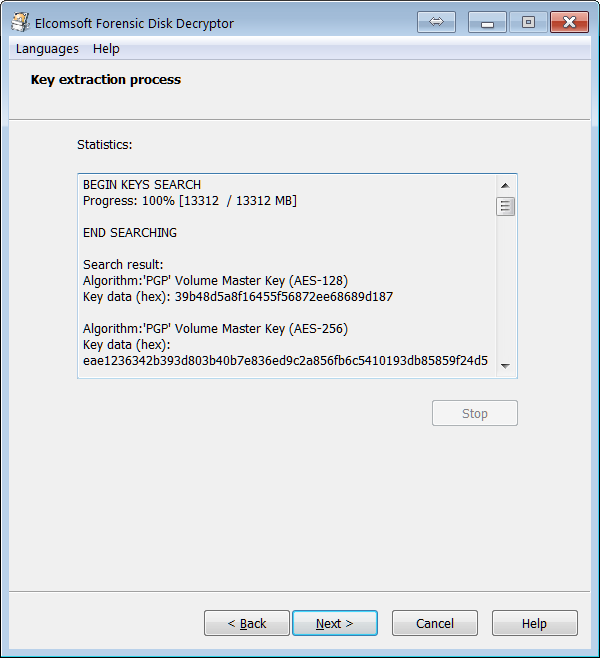
Elcomsoft Forensic Disk Decryptor key extraction process