
SpyCheck and ThunderSpy
Thunderspy targets devices with a Thunderbolt port. If your computer has such a port, an attacker who gets brief physical access to it can read and copy all your data, even if your drive is encrypted and your computer is locked or set to sleep.
Thunderspy is stealth, meaning that you cannot find any traces of the attack. It does not require your involvement, i.e., there is no phishing link or malicious piece of hardware that the attacker tricks you into using. Thunderspy works even if you follow best security practices by locking or suspending your computer when leaving briefly, and if your system administrator has set up the device with Secure Boot, strong BIOS and operating system account passwords, and enabled full disk encryption. All the attacker needs is 5 minutes alone with the computer, a screwdriver, and some easily portable hardware.
We have found 7 vulnerabilities in Intel’s design and developed 9 realistic scenarios how these could be exploited by a malicious entity to get access to your system, past the defenses that Intel had set up for your protection.
We have developed a free and open-source tool, Spycheck, to determine if your system is vulnerable. If it is found to be vulnerable, Spycheck will guide you to recommendations on how to help protect your system.
https://github.com/BjornRuytenberg/spycheck-linux

Does your Linux distribution include dbxtool? Have you used it on your UEFI system?
Do you use a Linux distrubution other than Fedora or Red Hat? Then it may not have dbxtool. If so, …sorry to say, but your distro sucks.
DBxtool is the only Linux method of checking if the UEFI Secure Boot keys are up-to-date/revoked. If you are not checking for these keys for your security is still useful, what’s the point of even using security? Yet that’s the case with most Linux distros, not including this core open source tool as a package for users to check their systems.
Richard Hughes of fwupd is asking some distros to include this tool. I agree, wholeheartedly:
3mdeb: open source hardware TPM
https://github.com/3mdeb/tpm2_2x5pin_2mm_lpc
https://certification.oshwa.org/pl000006.html
Newly-certified as Open Source Hardware by OSHWA.
Trusted Platform Module compatible with 2x5p LPC header (populated on Librebox platform) can be used in disk encryption, password protection, platform integrity and other security issues. TPM module supports LPC interface, Intel TXT and Microsoft Windows and Google Chromebook certification criteria for successful platform qualification. TPM features True Random Number Generator (TRNG) and full personalization with Endorsement Key (EK) and EK certificate.

Lists of Linux rootkits
I just noticed that there are TWO lists of Linux rootkits. Earlier I thought there were only one. One is mostly 2yrs old, the other had an update yesterday.
https://github.com/tkmru/awesome-linux-rootkits
separate from:
https://github.com/milabs/awesome-linux-rootkits
There’s also this list (not Linux-centric):
https://github.com/d30sa1/RootKits-List-Download
[None of the above are firmware bootkit-centric, except for the common style of BIOS-centric MBR persistance.]
efi-boot-to-fw-ui: sets firmware UI to open at next boot
Utility to open EFI firmware UI on next boot.
Simple utility to allow rebooting to EFI firmware UI screens.
Just run this tool and reboot.
UEFI_RETool 1.2.0 released (UEFI reverse engineering tool)
https://twitter.com/yeggorv/status/1258526810687500289
https://yeggor.github.io/UEFI_RETool-v1.2.0/
https://github.com/yeggor/UEFI_RETool
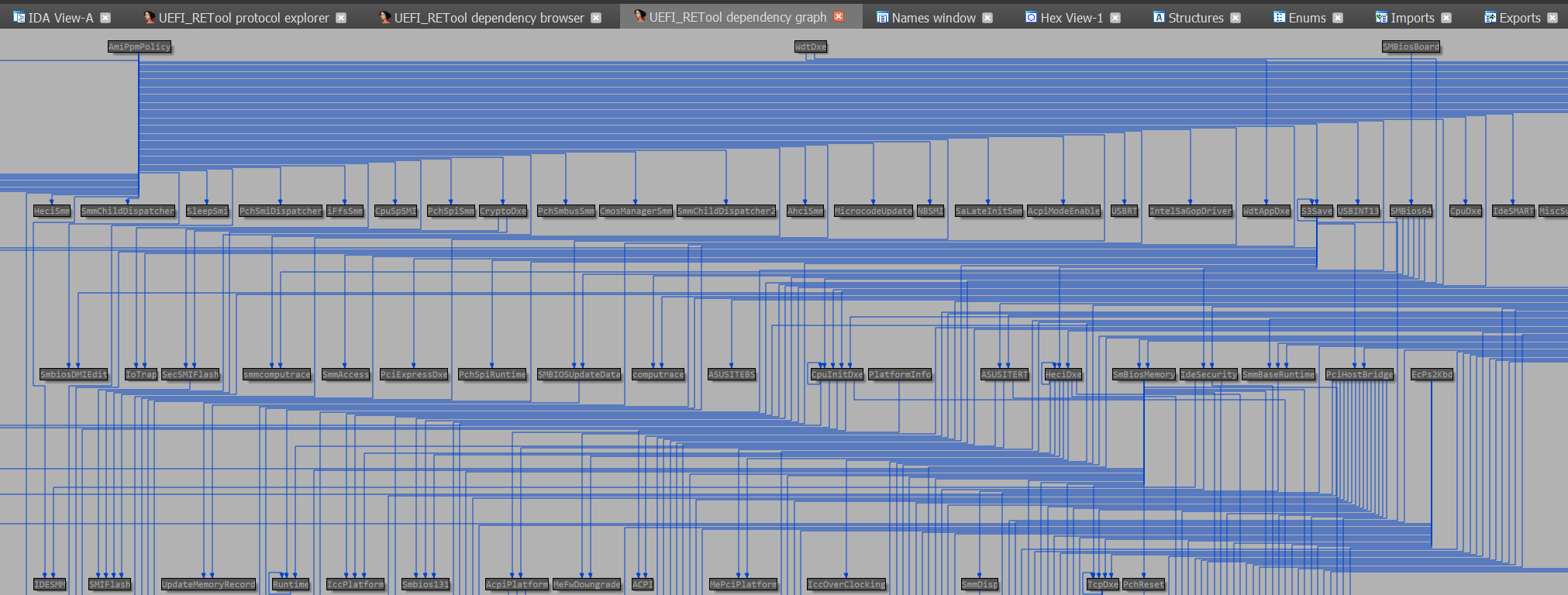
(I usually search Github and point out projects when I first learn about them. Many security projects don’t have version releases, so it is nice to see a project giving actual releases with announcements! Let’s hope the Radare2 support shows up in next release.)
ru.efi updated
First update to this freeware tool this year. It sounds like mostly bugfixes, not new features. Remember, this is not open source, it is freeware, in a password-protected zip.
http://ruexe.blogspot.com/2020/05/ru-5250379-beta.html
https://github.com/JamesAmiTw/ru-uefi

F-Secure: U-Booting securely
This paper aims to provide an independent analysis of known pitfalls and production misconfigurations related to using U-Boot (officially: Das U-Boot) in secure embedded systems as well as provide developers with guidance towards securing their products. It is aimed at teams and organisations planning to use or already using U-Boot as part of their existing products. Most of the examples have been encountered by the F-Secure Consulting Hardware Security team when researching secure boot implementations and resulted in either a partial or complete compromise of device security.
EFI_DXE_Emulator: Qiling support in the works!
Re: https://firmwaresecurity.com/2019/08/23/qiling-binary-emulation-framework/ and https://firmwaresecurity.com/2020/02/27/efi-dxe-emulator-and-debugger-ported-to-windows/
Qiling has been looking for UEFI support for a while, see their TODO file:
https://github.com/qilingframework/qiling/blob/master/TODO
The EFI_DEX_Emulator is getting Qiling support!
https://github.com/assafcarlsbad/efi_dxe_emulator
PS: Qiling mentions how it’d be nice to fuzz UEFI with AFL:
I just noticed that the below project (which I was about to point out to the Qiling project) is no longer available, unfortunately:
UEFIfuzzing: UEFI applications and libraries for AFL fuzzing
CHIPSEC has a few small built-in fuzzers, some of which apply to UEFI.
The only other UEFI fuzzing project I know about is Intel’s Project Excite, an open source project which I don’t think they ever managed to open source, and I think it used KLEE instead of AFL:
sd-chkcryptoboot-uefi: hook for encrypted UEFI installation of Arch Linux: checks if the machine was tampered with
A mkinitcpio hook for encrypted UEFI installation of Arch Linux with systemd init. Checks if the machine was tampered with, before typing the passphrase of the root partition.
CyRC analysis: CVE-2020-7958 on Android Trusted Execution Environment
“We dig into the inner workings of trustlets, how different components work together to provide a Trusted Execution Environment, and how to attack them.[…]”
https://www.synopsys.com/blogs/software-security/cve-2020-7958-trustlet-tee-attack/
https://www.synopsys.com/blogs/software-security/cve-2020-7958/
Microsoft security advisory: Update to revoke noncompliant UEFI boot loader modules: perhaps updated perhaps outdated
It sucks when old web content appears to have been updated, you can’t tell if it is newly-revised content or just some old content that some WWW Craweler mistakenly thinks is new. This Microsoft page is from a few years ago, but appears to have been recently updated:
It probably hasn’t been updated, it appears to focus on old versions of Windows. BUT, at the bottom of the page, it says:
Last Updated: Apr 16, 2020
AND, this is a Microsoft download page for dbxupdate.bin, a file that is hard to locate proper download links for on the site, this is one of the few web pages with such links. And Microsoft is the UEFI Certificate Authority and ships their own DBX blobs beyond the uefi.org-hosted ones. So MAYBE the content includes a new Microsoft DBX binary file. Or maybe the web page is wrongly-labeled as being recently-updated. ?
Regardless, unfortunately, I still am wondering how the UEFI Secure Boot key distribution can be so haphazardly done:
Microsoft: where is your latest dbxupdate.bin? UEFI Forum: why aren't you hosting the file as well?
GoRootCheck: Standalone rootcheck by OSSEC wrtitten in Go
https://github.com/pyperanger/gorootcheck
A rootkit-checking tool, written in Go. It does a few things. two of which include using OSSSEC rootkit lists as input to search for the rootkits listed in these files. (AFAICT, the OSSEC rootkit files don’t have any firmware bootkit entries.)
https://www.ossec.net/docs/manual/rootcheck/manual-rootcheck.html
https://github.com/ossec/ossec-hids/commits/master/src/rootcheck/db/rootkit_files.txt
https://github.com/ossec/ossec-hids/commits/master/src/rootcheck/db/rootkit_trojans.txt
Brunch Framework: Boot ChromeOS on any PC (with UEFI firmware and Intel GPU)
The Brunch framework purpose is to create a generic x86_64 ChromeOS image from an official recovery image. To do so, it uses a 1GB ROOTC partition (containing a custom kernel, an initramfs, the swtpm binaries, userspace patches and config files) and a specific EFI partition to boot from it.
WARNING to Windows users: the installation instructions require that you install Notepad++. I stopped reading at that point, unclear what might be involved afterwards… 🙂
Google and Microsoft clouds get improved firmware security
With Microsoft, the Azure DCsv2-series virtual machines (VMs) use of Intel SGX.
With Google, the Google Cloud Shielded VMs have UEFI Secure Boot and vTPM.
DCsv2-series VM now generally available from Azure confidential computing
https://www.securityweek.com/microsoft-google-announce-wider-availability-secure-vms
https://www.theregister.co.uk/2020/04/28/google_cloud_shielded_vms_default/
ACPITools: simple tools for messing with ACPI blobs (from LinuxBoot project)
The LinuxBoot project has a new subproject, ACPITools, with 2 commands so far: acpicat and acpigrep.
AMD: Change log for AGESA 1005:
AMD provides vendors with AGESA updates, but end-users have to hope that their vendor includes this data. In other words, AMD doesn’t directly provide end-users with AGESA information, at least AFAICT. However, this latest one may be different, AMD has provided a brief changelog for latest AGESA release on Reddit. Let’s hope they continue this trend, and be more verbose in the future:
Change log for AGESA 1005:
* Rollup of 1004a, ab, abb, abba patches into a single release
* Fixed a PCIe® lane configuration issue on the AMD Ryzen™ 3 PRO 2100GE
* Resolved an intermittent virtual memory error with Realtek onboard LAN
* Improved POST with select Micron DDR4-3200 memory ICs
* Optimized PCIe® firmware to improve stability and interoperability
GRUB2-FileManager: GRUB2-based file manager (UEFI application)

NIST draft whitepaper: Hardware-Enabled Security for Server Platforms
Hardware-Enabled Security for Server Platforms:
Enabling a Layered Approach to Platform Security for Cloud and Edge Computing Use Cases
In today’s cloud data centers and edge computing, attack surfaces have significantly increased, hacking has become industrialized, and most security control implementations are not coherent or consistent. The foundation of any data center or edge computing security strategy should be securing the platform on which data and workloads will be executed and accessed. The physical platform represents the first layer for any layered security approach and provides the initial protections to help ensure that higher-layer security controls can be trusted. This white paper explains hardware-based security techniques and technologies that can improve platform security and data protection for cloud data centers and edge computing.
 Firmware Security
You must be logged in to post a comment.