Who created the ACPI ASPT spec?

Re: https://firmwaresecurity.com/2015/12/08/fwts-adds-test-for-undocumented-aspt-acpi/

Earlier, the FWTS team thought this ACPI ASPT (ACPI System Performance Tuning) spec was from AMD.  AMD looked into it, and thinks it is probably from Intel, as does Insyde Software. Intel/anyone: Do you know who wrote the spec? If so, please leave a comment or send email. Thanks.

AMD comment:
Well, as far as I can tell, nobody at AMD knows about the ASPT table. First I asked the relevant specialists, then I asked everybody associated with BIOS. Nobody recognizes it as an AMD thing.
Then we found an IBV .txt file that listed a bunch of Intel-sounding platforms associated with ASPT. So, could you double check whether this is really being seen on AMD platforms, please?
Even if you do find it on some AMD platforms, I’m now pretty sure it’s not an AMD thing. It might be a proprietary ACPI table added by an OEM or and IBV. I believe proprietary tables are allowed by the ACPI spec.

and a later comment:
It’s actually a definition from another silicon vendor for their overclocking information. Since the table only shows up on systems that support overclocking, it only shows up on systems with fast graphics controllers. That’s might be why “AMD” is referenced.

Another comment from a firmware vendor (IFV):
I believe you would be better served by contacting any of your contacts at Intel Client.  I’m not saying they will document this table, but it’s clear to me by looking at our code, this is Intel’s table. Maybe the AMD false pointer is probably because most overclocking systems have non-integrated graphics?

FOSDEM

FOSDEM is happening soon, and there are a *LOT* of interesting talks there this year:

https://fosdem.org/2016/schedule/events/

Here’s a mere teaser of the many hardware/firmware-related ones, from a very quick (incomplete) look at their schedule, there are MANY other interesting talks not listed below.:

Genode’s TrustZone demo on the USB Armory
Developing eco-conscious Libre Hardware
Libreboot – free your BIOS today!
MIPS, the other side of the embedded
open source FPGA toolchain and hardware
NemoTablet, a FOSS DIY tablet using Raspberry Pi 2
Make your own USB device without pain and money!
Security in IoT; more a cultural chock than a technical challenge
IoT meets Security
USBGuard: Take control over your USB devices

Intel Quark gets Measured Boot

The Intel Quark support in the UEFI Forum’s public EDK-II has been updated to support Trustworthy Computing Group’s TPM-based Measured Boot. For more information, see the patch thread on the edk2-devel mailing list.

QuarkPlatformPkg: Add MEASURED_BOOT_ENABLE feature

Add MEASURED_BOOT_ENABLE flag
Add TPM_12_HARDWARE flag
Add TrEEConfigPei to detect TPM 1.2 hardware device
Use Tpm12DeviceLib instance for Atmel I2C TPM
Use Tpm12DeviceLib instance for Infineon I2C TPM
Add TcgPei and TcgDxe modules for TPM 1.2 support
Clean up TpmMeasurementLib mappings

ACPI 5.1a/6.0 GIC structure inconsistency

Mark Doron of Intel posted a message to the Linux-ACPI and Linux-Kernel lists, clarifying some spec deltas between ACPI 5.1a and 6.0, specificaly for the GIC structure. Most of Mark’s message is quoted verbatim below, see the Linux-ACPI list archives for the full post.

Watch this site for any 2016-dated specs, for an update: http://uefi.org/acpi

GIC version inconsistency in ACPI 5.1a versus 6.0 documents

Hi Everyone:

I have been asked to post here on behalf of the UEFI Forum’s ACPI Spec Work Group (ASWG) to provide some clarification regarding the ACPI Specification versions 5.1a and 6.0.  For those who may not know me, I am the Chair of this work group.

In particular it turns out that there are different definitions contained in the these two versions of the document for the GIC version field contained in the GIC Distributor Structure.  This structure is located in Table 5-63 in both versions of the document.  I am told this inconsistency is causing some problems for implementation work.

The inconsistency arises purely from an administrative error on our part as keepers of the ACPI Specification.  I want to apologize to anyone who has been inconvenienced by this issue.

The sharp-eyed may notice that the dates on the covers of the two versions are the same.  The Forum’s normal practice when making a new revision is to re-publish the prior version with all known errata included so that the content that is common between the existing and new documents matches.  This accounts for the two documents having the same date; in fact they were published on the exact same day at the same time.

In the case of this one particular structure definition, as shown in Table 5-63, the content was corrected to match what it should say in the 6.0 version of the document.  Unfortunately we messed up and the same fix was not properly retrofitted to the ACPI 5.1 spec to be included with the 5.1a (latest errata included version of 5.1 that was released at the same time as 6.0).

Now this inconsistency has been pointed out, the UEFI Forum will publish a revised version 5.1b that will incorporate a fix for this problem.  This will however take a little time to organize so it may be some days before that updated document appears on the Forum’s public web site.

Since it was felt that this issue is causing friction for implementation work going on right now, the Work Group asked that I post the above explanation and mitigation as well as the following recommendation to help move implementation work ahead without delay.

The recommendation from the UEFI Forum in this case then is:

– For implementation purposes, the definition in the ACPI 5.1a for the GIC version field that is part of the GIC Distributor Structure (Table 5-63) is incorrect and instead implementers should refer to the corresponding sections of the ACPI 6.0 Specification (the Table to refer to is numbered the same in both documents).  The inconsistency will be corrected shortly with the release of a revised ACPI Spec 5.1b update.

For the avoidance of doubt, this means that implementers seeking to conform to the ACPI 5.1 specification should implement to the ACPI 5.1a in every particular except for the above referenced GIC version field which should follow the definition contained in the ACPI 6.0 version of the specification.  This advice holds true until a revised ACPI 5.1b is published at which time there will be no inconsistency.


NVIDIA Nouveau Secure Boot

Quoting Michael of Phoronix:

NVIDIA Publishes Nouveau Patches For Secure Boot, Unified Firmware Loading

NVIDIA has released new patches today for helping the open-source Nouveau driver step towards properly supporting the GeForce GTX 900 “Maxwell” graphics cards as well as better supporting Tegra. The first patch series sent out today was authored by NVIDIA’s Alexandre Courbot and provides unified firmware loading functions. He explained, “This patchset centralizes the firmware-loading procedure to one set of functions instead of having each engine load its firmware as it pleases. This helps ensure that all firmware comes from the same place, namely nvidia/chip/. This changes where the firmware is fetched from for falcon/xtensa/bios, but these locations never seemed to have been official anyway. Also for most (all?) chips supported by Nouveau there is corresponding internal firmware, so disruption should be minimal/non-existent. If this assumption is wrong, feel free to drop patches 3-5. At the very least, firmware officially provided by NVIDIA should be looked up using the new functions for consistency.”[…]

http://www.phoronix.com/scan.php?page=news_item&px=Nouveau-Secure-Boot-FW

http://www.phoronix.com/scan.php?page=news_item&px=MTc5ODA

http://lists.freedesktop.org/archives/nouveau/2016-January/023814.html

http://lists.freedesktop.org/archives/nouveau/2016-January/023820.html

OpenStack iLO Secure Boot

I just noticed that the OpenStack project has an alternative to UEFI Secure Boot, for iLO drivers:

Some of the Ironic deploy drivers support UEFI boot. It would be useful to security sensitive users to deploy more securely using Secure Boot feature of the UEFI. This spec proposes alternatives to support Secure Boot in baremetal provisioning for iLO drivers. […]

https://specs.openstack.org/openstack/ironic-specs/specs/kilo-implemented/uefi-secure-boot.html

https://blueprints.launchpad.net/ironic/+spec/uefi-secure-boot

Intel MPX support for Microsoft Visual Studio 2015

From the Microsoft Visual Studio blog, there’s a new post mentioning that VS2015.update1 has a new “Experimental” support of Microsoft MPX (Memory Protection Extensions).

This post is about Intel® Memory Protection Extensions (Intel MPX) support in Microsoft Visual Studio* 2015; content provided by Gautham Beeraka, George Kuan, and Juan Rodriguez from Intel Corporation. Update 1 for Visual Studio 2015 was announced on November 30, 2015. This update includes experimental compiler and debugger support for Intel MPX.  Intel MPX can check all pointer reads and writes to ensure they remain within their declared memory bounds.  This technology can detect buffer overflows and stop program execution at runtime, averting possible system compromises. It enables C/C++ code to make use of the new MPX instruction set and registers introduced in the 6th Generation Intel® Core™ Processors (“MPX-enabled platform”). The Microsoft Visual C++ Compiler* and linker can now generate checks automatically, a capability enabled by specifying a command line option. This blog explains how you can use automatic MPX code generation and debug MPX-enabled binaries.  For more details on Intel MPX, please see the Intel MPX Technology web page. […]

http://blogs.msdn.com/b/vcblog/archive/2016/01/20/visual-studio-2015-update-1-new-experimental-feature-mpx.aspx

Consumer Intel Android-IA devices: undefendable firmware??

Intel makes LUV, Linux UEFI Validation, to test Intel UEFI systems’s implementations. Intel also makes CHIPSEC, to test Intel x86/x64 BIOS/UEFI implementations for security issues, a firmware vulnerability management tool. Intel also makes Android-IA, the Intel fork of Android. It only boots via UEFI.

However, you apparently cannot use the Intel UEFI diagnostics (eg, LUV, CHIPSEC) to test Intel Android-IA systems. You can’t boot into LUV, and CHIPSEC doesn’t target Android. From a thread on the Android-IA mailing list on 01.org, on the topic of diagnosing a Baytrail-based Android-IA tablet, Christopher Price of Console OS mentions:

Production Intel Android devices do run UEFI, but it is for the most part today locked down. The only UEFI loader accepted triggers Android fastboot, which is baked into the UEFI payload. Secure Boot is on, basically – with no way to turn it off. Unfortunately, this cannot be unlocked today, as production Android devices do not respect the fastboot oem unlock command… aside from IRDA devices like the Trekstor tablet. Even IRDA does not have a UEFI config menu for the most part – it’s very locked down and meant to only run the UEFI apps related to fastboot and firmware updates. […]

And, as I understand it, Trekstor tablet is the only consumer device which permits users to configure things.

Full message:
https://lists.01.org/pipermail/android-ia/2016-January/001135.html
https://01.org/android-IA
https://github.com/android-ia

How do you test a device if can’t boot a clean OS to do diagnostics? With Secure Boot, it seems that they’ve forgotten that NIST permits owners to control their system locally, and make firmware and OS levels unmodifyable. OEMs can use their unlocked prototype boards to test security, but consumers have no option to test their device for security, in the name of boot lockdown security, with no way for user to configure.

How do sysadmins defend IoT things that you can’t run the only firmware security tools on them? Are Android-IA devices — except for some Trekstor tablets apparently — examples of the ‘undefendable’ subset of the IoT? How can an enterprise have a security policy to defend undefendable devices?? Do IoT vendors think about sysadmins, or just developers? How do I perform all of the recommended steps in the NIST SP-147 secure BIOS platform lifecycle, on IoT devices like this?

The firmware level of IoT devices are obscured by overloading firmware to mean all software on an embedded device, firmware security is a synonym for OS security or App security for embedded devices. 😦

With Microsoft hinting that Secure Boot will soon no longer be configurable, this seems like it’ll just get worse.

This issue impacts all architectures’s IoT devices, not just Intel Android-IA-based, UEFI-based devices.

If I had a Twitter account, I’d be spending half of my time online forwarding posts to the Internet of Shit account, sigh. 😦

STOKE: x64 assembler optimizer

https://github.com/StanfordPL/stoke-release

https://news.ycombinator.com/item?id=10924155

STOKE is a stochastic optimizer for the x86_64 instruction set. STOKE uses random search to explore the extremely high-dimensional space of all possible program transformations. Although any one random transformation is unlikely to produce a code sequence that is both correct and an improvement over the original, the repeated application of millions of transformations is sufficient to produce novel and non-obvious code sequences that have been shown to outperform the code produced by general-purpose and domain-specific compilers, and in some cases expert hand-written code.

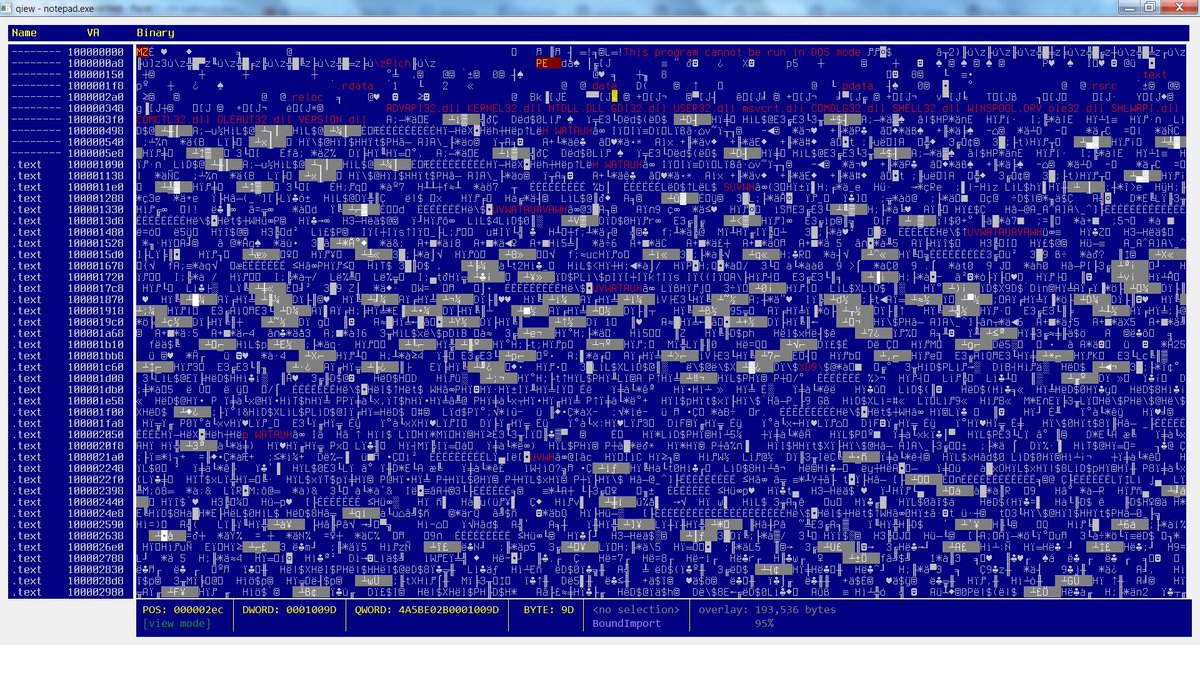
Qiew, Qt version of Hiew

https://github.com/mtivadar/qiew

Qiew – Hex/File format viewer
Portable Executable (PE) file viewer
Designed to be useful for reverse engineering malware.
features:
    highlights strings/calls/mz-pe very useful in malware analysis.
    PE info, able to jump to sections, entry point, overlay, etc.
    disassembler + referenced strings, API calls
    “highlight all” for current text selection.


Intel Memory Protection Extensions (MPX) documentation available

https://twitter.com/intelswfeed/status/689591155516923904

https://software.intel.com/en-us/articles/intel-memory-protection-extensions-enabling-guide

Intel® Memory Protection Extensions Enabling Guide

This document describes Intel® Memory Protection Extensions (Intel® MPX), its motivation, and programming model. It also describes the enabling requirements and the current status of enabling in the supported OSs: Linux* and Windows* and compilers: Intel® C++ Compiler, GCC, and Visual C++*. Finally, the paper describes how ISVs can incrementally enable bounds checking in their Intel MPX applications.

Apple security updates for iOS and OSX

Apple has released security updates for iOS, OS X El Capitan, and Safari to address multiple vulnerabilities. Exploitation of some of these vulnerabilities may allow a remote attacker to take control of an affected system.

https://www.us-cert.gov/ncas/current-activity/2016/01/19/Apple-Releases-Security-Updates-iOS-OS-X-El-Capitan-and-Safari

https://support.apple.com/en-us/HT205732

https://support.apple.com/en-us/HT205731


new Linux/Android kernel vulnerability

Linux Kernel Vulnerability: US-CERT is aware of a Linux kernel vulnerability affecting Linux PCs and servers and Android-based devices. Exploitation of this vulnerability may allow an attacker to take control of an affected system. US-CERT recommends that users and administrators review the Redhat Security Blog  and the Debian Security Bug Tracker for additional details and refer to their Linux or Unix-based OS vendors for appropriate patches.

https://www.us-cert.gov/ncas/current-activity/2016/01/19/Linux-Kernel-Vulnerability

https://access.redhat.com/security/cve/CVE-2016-0728

https://security-tracker.debian.org/tracker/CVE-2016-0728

security fix for Intel Driver Update Utility

The Intel Driver Update Utility (IDUU) was recently updated.

This update to the Intel® Driver Update Utility mitigates the use of a non-SSL URL. Intel has released a new version of the software that provides mitigation of this issue. Intel(R) Driver Update Utility analyzes Intel-product drivers on your computer and lets you know if driver updates are available. The utility can be used to download and install selected driver updates on your computer. This update to the Intel® Driver Update Utility helps mitigate the use of a non-SSL URL. Intel has released a new version of the software that provides mitigation of this issue. Intel highly recommends that customers of the affected product obtain and apply the updated version of the Software. Intel would like to thank Core Security for reporting this issue and working with us towards a disclosure timeline.

https://security-center.intel.com/advisory.aspx?intelid=INTEL-SA-00048&languageid=en-fr
https://security-center.intel.com/SearchResults.aspx
https://www-ssl.intel.com/content/www/us/en/support/detect.html
https://downloadmirror.intel.com/24345/a08/Intel%20Driver%20Update%20Utility%20Installer.exe
https://www-ssl.intel.com/content/www/us/en/support/topics/iduu-faqs.html

This tool is available for Windows, no other OS, see the above FAQ for more details.

Intel Authenticate: hardware-based 3-factor identity system

Intel announced a new chip today, and it includes a new Intel feature called Intel Authenticate, which appears to currently only support Microsoft Windows, no other OS. Excerpt from press release is below:

http://www.intel.com/content/www/us/en/architecture-and-technology/authenticate/intel-authenticate-is-hardware-enhanced-security.html

https://twitter.com/IntelSSD/status/689557113488613377

https://communities.intel.com/community/itpeernetwork/blog/2016/01/19/workplace-transforms-with-6th-gen-core-vpro

http://newsroom.intel.com/community/intel_newsroom/blog/2016/01/19/intel-transforms-the-workplace-with-latest-6th-generation-intel-core-vpro-processors

Locking the PC’s Virtual Front Door with More than Password Protection

Hackers are finding new ways to break into old PCs through the virtual front door by stealing user credentials to gain privileges inside organizations. Today, more than half of data breaches start with misused or stolen user credentials5. Older PCs that use eight-character passwords that change every 90 days worked well a decade ago, but increasingly sophisticated attack methods require a deeper level of security. To address this, Intel is previewing a new security innovation called Intel Authenticate for businesses to begin internally testing and qualifying. Intel Authenticate is a hardware-enhanced, multifactor authentication solution that strengthens identity protection on the PC, making it less vulnerable2 to identity and security credential attacks. Intel Authenticate verifies identities by using a combination of up to three hardened factors at the same time: “something you know,” such as a personal identification number; “something you have,” including a mobile phone; and “something you are,” like a fingerprint. IT can choose from multiple hardened factors of authentication that are based on company policies, and no longer has to rely solely on employees remembering complicated passwords2. Intel Authenticate is compatible with Microsoft Windows* 7, 8 and 10, and is available for customers to preview.

X-Ray, Duo Labs Android vulnerability tool

https://twitter.com/jonoberheide/status/689526256388476928

Duo has a new article on Android security out. The article mentions an Android vulnerability detection tool that Duo Labs has:

Another tool that can help users detect for known Android vulnerabilities is X-Ray, a Duo Labs tool that anyone can download and run on their Android-based phone and/or tablet. Now in version 2.0, this app safely scans for vulnerabilities and allows you to assess your current mobile security risk.


https://duo.com/blog/duo-analytics-android-device-security-article

https://labs.duosecurity.com/xray

SwiftOnSecurity on Windows/UEFI security

http://decentsecurity.com/#/securing-your-computer/

There’s a new guide to securing Windows systems. I enjoyed it because step 2 of the steps are firmware-centric, excerpted below, view the original doc, the excerpted formatting is a bit mangled, sorry.

I wish the advice mentioned using CHIPSEC to do security tests to see if system came from OEM with unfixable security flaws, and to use CHIPSEC or other tools — perhaps via LUV-live or directly — to save  a NIST SP-147-style ‘golden image’ of your ROM, doing periodic offline/forensic examination of your ROM images with CHIPSEC, UEFI Firmware Parser, and other tools. (I have no input as to the non-firmware Windows-centric input in the list.)

1.) Update BIOS
For best compatibility and security you should update your computer’s BIOS. A modern BIOS (really UEFI) is a full operating system that runs below and at the same time as Windows, and it needs patches too. People who built computers in the early 2000’s will tell you BIOS updates are risky, and they were, but not anymore. They deliver fixes, features, and security updates you won’t hear about on the news. Even new computers/motherboards need updates. If you’re starting from scratch, do the BIOS update after installing Windows 10. You can find the BIOS update tool on your manufacturer’s driver page for your computer model. You will need to reboot for it to take effect. If you have a Surface, BIOS updates are delivered through Windows Update.

3.) Configure BIOS
This is important and is something nobody talks about. From the boot of your computer, press the setup hotkey. It may be F1, F2, F8, F10, Del, or something else to get into SETUP mode. In the BIOS: Set a setup password. Make it simple, this is only to prevent malicious modification by someone in front of the computer or by a program trying to corrupt it. Change boot to/prioritize UEFI. Disable everything except UEFI DVD, UEFI HDD, and USB UEFI if you plan on using a USB stick to install Windows. Enable the TPM (if available) and SecureBoot (if available) options. This is super important. Disable 1394 (FireWire) and ExpressCard/PCMCIA (if you’re on a laptop) as a layer to further mitigate DMA attacks. This isn’t as important anymore, but if you don’t use them you might as well turn it off. If you want, and if the computer offers it, you can enable a System and HDD password. We will be using BitLocker to protect the disk, but this is an extra layer you can add if you want. I don’t. If you don’t use webcam or microphone, you may be able to turn them off in the BIOS. Save settings and shut down.

The Linux Foundation has some UEFI-centric, Linux-centric desktop advice, which has some overlaps in security methods to the above UEFI-centric, Windows-centric desktop advice:

Linux Foundation IT Security Policies: firmware guidance

The Crypto Party Handbook also has some related advice, for security/privacy-minded use. The Secure Desktop mailing list is the center of the universe for this, where the handful of Linux distributions that focus on secure/privacy as their main features, hang out. If you care about a secure OS, you should be using one of theirs, not an OS where security is not their primary concern.

https://github.com/cryptoparty/handbook

https://secure-os.org/pipermail/desktops/2015-October/000000.html
https://secure-os.org/desktops/charter/

[I need to find some similar security hardening checklist for ChomeOS-based, coreboot-based systems, instead of Windows-based UEFI/BIOS-based systems,  talking about ensuring TPM on x86/x64, using coreboot with Verified Boot, specifics on how to best adopt those keys, like how Nikolaj shows us how to adopt UEFI Secure Boot keys, and others show how to use MOK. Any tips appreciated, please leave a Comment (see left) or send email (see above right). Thanks.]